Best Logo Placement Ideas for Custom Business Polo Shirts
Best Logo Placement Ideas for Custom Business Polo Shirts
A custom polo shirt can help your business create a professional, coordinated appearance. But one of the most important design decisions is where to place your company logo.
Should your logo go on the left chest, right chest, sleeve, or back? How large should it be? And which placement looks best for employee uniforms?
The answers depend on your brand, garment style, logo shape, and how your employees will use the shirts.
In this guide, ExpressPress explores the best logo placement ideas for custom business polo shirts, including sizing recommendations, design tips, and common mistakes to avoid.
Why Logo Placement Matters on Polo Shirts
Logo placement affects how customers see your brand and how professional the finished garment appears.
A well-positioned logo can help create a balanced design, while a poorly positioned logo may look crowded, uneven, or difficult to read.
Good logo placement helps with:
Professional employee appearance
Brand recognition
Consistent company uniforms
Logo visibility
Balanced garment design
Readable business names and graphics
The goal is to make your branding visible without overwhelming the polo shirt.
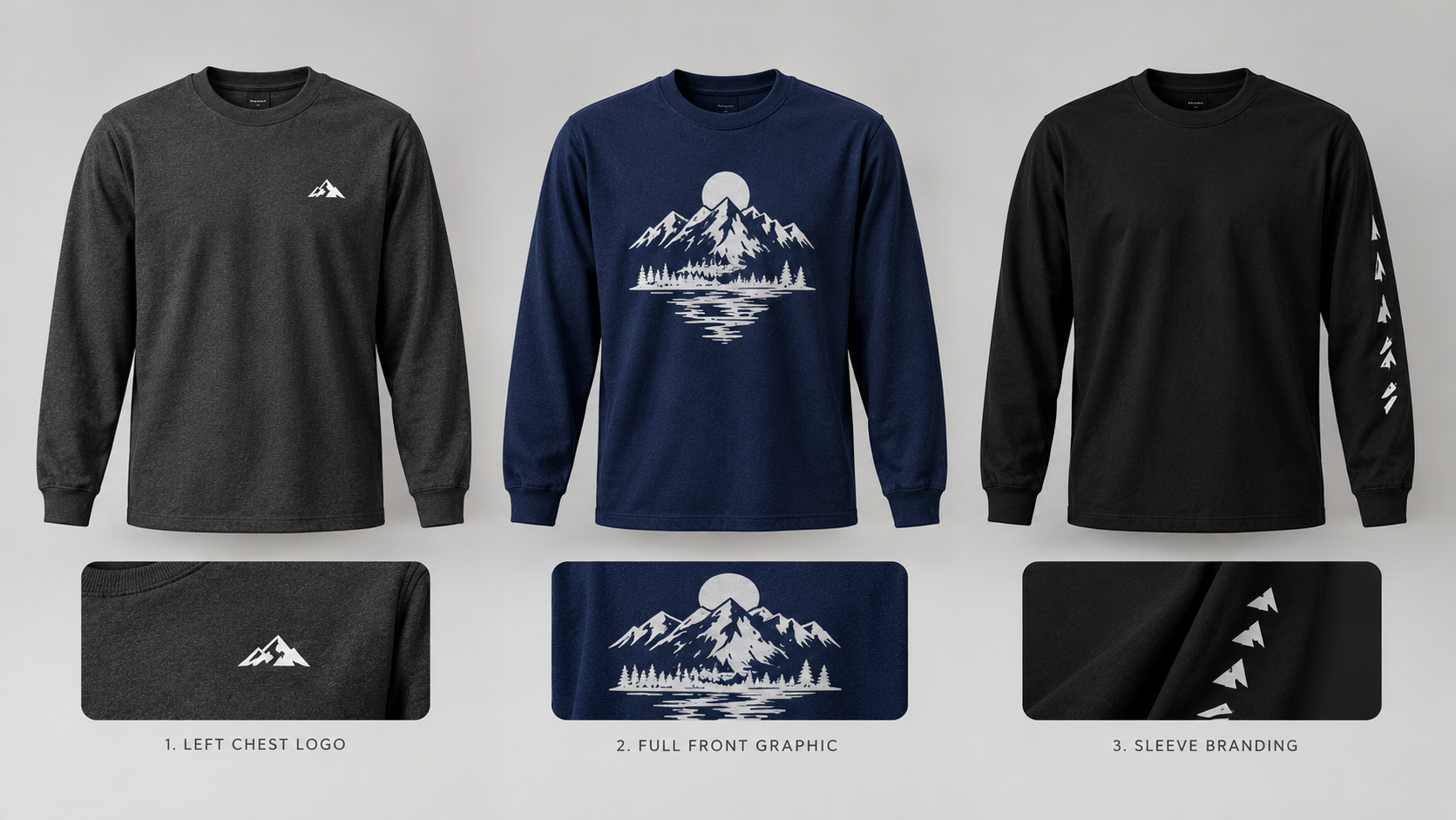
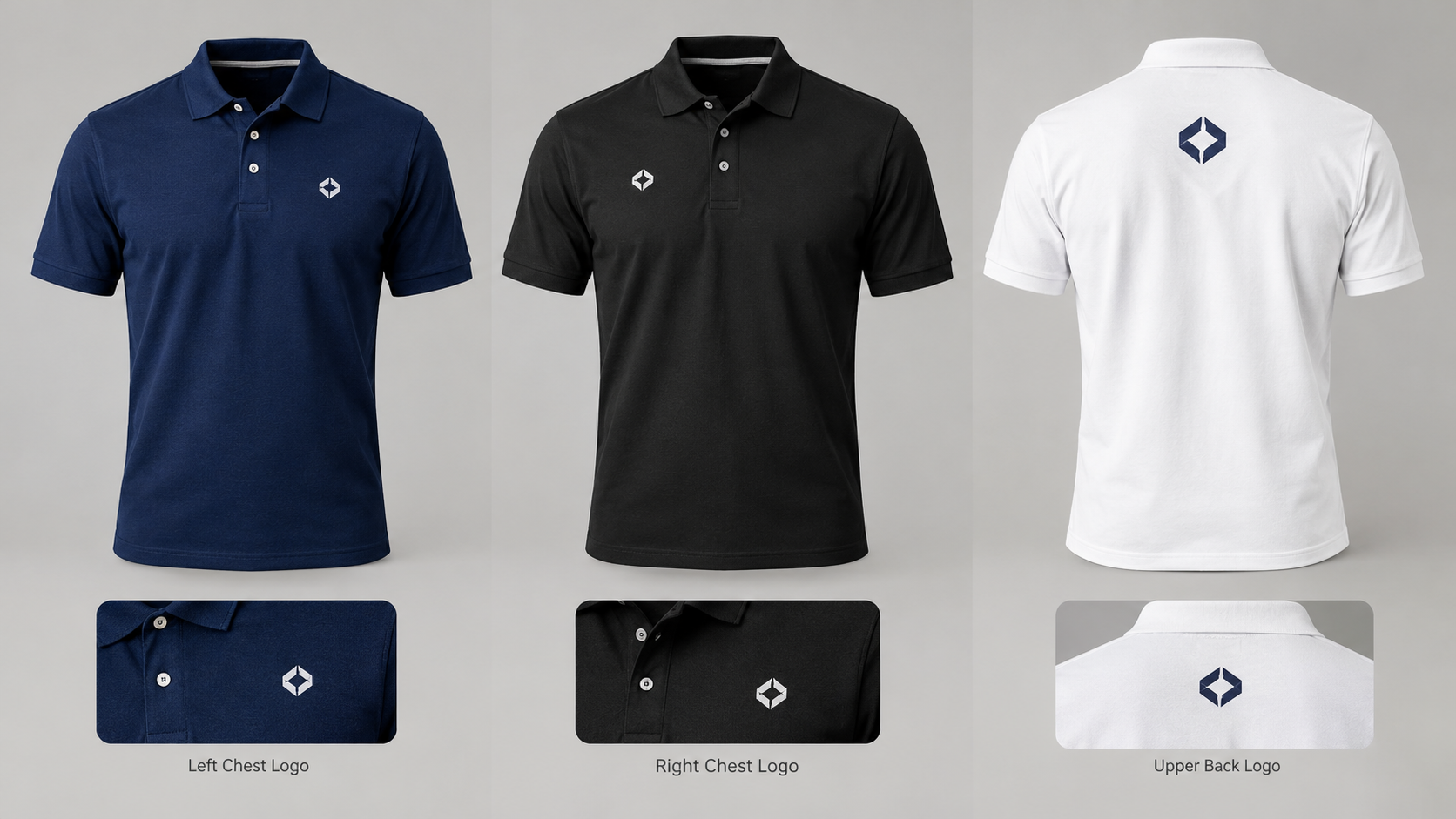
1. Left Chest Logo Placement
Left chest is one of the most popular placements for business polo shirts.
It creates a clean, professional appearance and is commonly used for employee uniforms, corporate apparel, and branded workwear.
Why Choose Left Chest?
A left-chest logo is visible during many face-to-face interactions without dominating the garment.
It also works well with small company logos and business names.
Best Uses
Left-chest branding is suitable for:
Office employees
Retail staff
Restaurant teams
Hospitality businesses
Customer service representatives
Sales teams
Corporate events
Recommended Logo Size
A common starting point for a small chest logo is approximately 3 to 4 inches wide.
However, the correct size depends on the logo's shape, garment dimensions, and printable area.
Tall logos may need different proportions from wide horizontal logos.
Always confirm the available printing dimensions before ordering.
2. Right Chest Logo Placement
Right-chest printing offers another professional branding option.
It can be useful when the business wants to balance the layout or include additional information on the opposite side.
Why Choose Right Chest?
Right-chest placement can create a distinctive appearance while maintaining a business-casual style.
It may also work well with employee names or department identification.
Best Uses
Right-chest logos can be suitable for:
Corporate uniforms
Employee name and logo combinations
Retail teams

Event staff
Customer service uniforms
Design Tip
If you plan to print a company logo on one side and an employee name on the other, make sure both elements are visually balanced.
Avoid making one side significantly larger than the other without a deliberate design reason.
3. Center Chest Logo Placement
Center chest printing places the design near the middle of the shirt.
This placement can create a more promotional or casual appearance compared with a small left-chest logo.
When to Choose Center Chest
Center chest may be useful for:
Promotional polo shirts
Event merchandise
Team apparel
Larger company graphics
Casual branded clothing
Important Considerations
Polo shirts have collars and button plackets that affect the available printing area.
Avoid positioning artwork too close to buttons, seams, or other garment features.
Not every polo shirt or printing configuration supports center chest placement, so check the available options.
4. Back Logo Placement
Back printing provides additional space for larger designs.
This can be useful when your business wants its name or branding visible from behind.
Best Uses for Back Printing
Back logos are commonly used for:
Service businesses
Event staff
Promotional apparel
Delivery teams
Community organizations
Branded merchandise
What to Include
A back design may feature:
Company name
Business logo
Short slogan
Promotional graphic
Website address
Avoid adding excessive text that becomes difficult to read.
Design Tip
Keep the design balanced and positioned within the garment's printable area.
The ideal size depends on the polo's construction and available printing options.
5. Upper Back Logo Placement
Upper back printing places a smaller design near the top of the garment.
This can provide subtle branding without using a large full-back graphic.
Best Uses
Upper back logos can work well for:
Corporate apparel
Branded merchandise
Team uniforms
Small business branding
Promotional polos
Design Tip
Check the spacing between the collar and artwork.
A design positioned too close to the neckline may look crowded.
6. Sleeve Logo Placement
Sleeve printing provides an additional location for secondary branding.
A small sleeve logo can complement a chest design without overwhelming the shirt.
Best Uses
Sleeve graphics may include:
Company symbols
Small brand logos
Department identifiers
Event graphics
Short text designs
Design Tip
Sleeve printing areas are usually smaller than front or back printing areas.
Use simple artwork and avoid tiny lettering.
Availability depends on the selected polo shirt and printing configuration.
7. Front and Back Logo Combinations
Some businesses prefer multiple print placements.
For example, a small company logo on the left chest can be combined with a larger business name on the back.
This approach creates a professional front appearance while increasing brand visibility.
Example for a Cleaning Company
Front: Small company logo on the left chest.
Back: Larger company name and a short slogan.
Example for a Landscaping Company
Front: Company logo.
Back: Business name and a simple landscaping graphic.
Example for Event Staff
Front: Event logo.
Back: Staff identification or event branding.
The best combination depends on your business and the available product options.
8. How Big Should a Logo Be on a Polo Shirt?
Logo size is just as important as placement.
A logo that is too small may be difficult to recognize.
A logo that is too large may look disproportionate on a business polo.
Common Starting Points
| Placement | General Design Consideration |
|---|---|
| Left chest | Small, readable logo; often around 3–4 inches wide |
| Right chest | Similar scale to left chest |
| Center chest | Size based on placket clearance and printable area |
| Upper back | Compact logo with sufficient collar clearance |
| Full back | Larger artwork within the available print area |
| Sleeve | Small, simple artwork suited to limited space |
These are general design guidelines, not guaranteed ExpressPress printing dimensions.
Always review the selected garment and printing configuration before finalizing artwork.
9. Best Logo Colors for Business Polo Shirts
Your logo should remain visible against the garment color.
White Logos on Dark Polos
White or light-colored logos can create strong contrast on black, navy, and other dark garments.
Dark Logos on Light Polos
Black, navy, and other dark artwork colors can work well on white or light-gray polos.
Full-Color Logos
Multicolor logos can be effective when the printing method supports the design.
Brand Color Consistency
Use your established company colors whenever possible.
If your logo has several colors, check how they appear against the selected polo shirt.
10. How to Prepare Your Logo for Polo Shirt Printing
For additional guidance, see our artwork file preparation guide.
High-quality artwork helps produce professional results.
Use Original Logo Files
Whenever possible, use the original design file.
Avoid screenshots and small website images.
Choose Suitable File Formats
Common formats include:
PNG for high-resolution graphics with transparent backgrounds
SVG for scalable vector artwork
AI for editable Illustrator files
PDF for properly prepared print layouts
PSD for layered artwork
Check Artwork Resolution
For raster artwork, approximately 300 pixels per inch at the intended printing size is a useful target.
Preserve Logo Proportions
Do not stretch or distort your logo to fill a printing area.
Check Small Details
Very small lettering and thin lines may need adjustment for printing.
11. Logo Placement Ideas for Different Industries
Different businesses may benefit from different branding styles.
Restaurants and Cafés
A small left-chest logo can create a clean appearance for front-of-house staff.
Retail Stores
Left-chest or right-chest logos can help employees maintain recognizable branding.
Cleaning Companies
A small front logo paired with larger back branding may help identify staff at customer locations.
Landscaping Businesses
Front and back branding can provide visibility during everyday service work.
Office Teams
A subtle chest logo may be suitable for business-casual uniforms.
Event Staff
Larger back graphics or staff identification can help attendees recognize employees.
12. Common Polo Shirt Logo Placement Mistakes
Printing Too Close to the Collar
Artwork placed too high may look crowded.
Ignoring the Button Placket
Center-front designs should account for the buttons and placket.
Making the Logo Too Large
Oversized chest logos can disrupt the garment's proportions.
Using Low-Resolution Artwork
Blurry files may result in poor print quality.
Choosing Poor Color Contrast
A logo that blends into the shirt may be difficult to read.
Using Too Many Print Locations
Multiple graphics can create a crowded appearance if they are not coordinated.
Skipping the Final Preview
Always inspect the design before ordering.
13. How to Choose the Best Placement for Your Business
For additional guidance, see our custom logo polo shirt buying guide.
Before deciding, consider these questions:
Do employees interact directly with customers?
Should the logo be subtle or highly visible?
Will employees wear the polo during active work?
Does your logo contain small text?
Do you need additional branding on the back?
What garment colors will you use?
What printing placements are available?
What is your overall apparel budget?
For many businesses, a small left-chest logo is a practical starting point.
However, other placements may be more suitable depending on the intended use.
14. Design Custom Logo Polo Shirts With ExpressPress
ExpressPress offers customizable polo shirts for businesses, organizations, and individuals.
To create your branded polo:
Step 1: Choose Your Polo Shirt
Select the Custom Logo Polo Shirt product.
Step 2: Select Your Printing Style
Choose from the available printing placements.
Step 3: Choose Your Color and Size
Select the garment options that fit your requirements.
Step 4: Upload Your Company Logo
Submit your artwork using the available customization tools.
Step 5: Review Your Design
Check logo placement, size, color, and printing configuration.
Step 6: Complete Your Order
Review your order details and proceed through checkout.
You can also explore custom logo polo shirt and polo versus T-shirt uniform comparison for related printing information and available ExpressPress options.
Custom Polo Shirt Printing in Thomasville, Alabama
ExpressPress is based in Thomasville, Alabama, providing custom printing and personalized apparel services for businesses, organizations, and individuals.
Whether you're creating employee uniforms, promotional polo shirts, or branded company apparel, selecting the right logo placement can help your business maintain a professional appearance.
Explore the ExpressPress Custom Logo Polo Shirt product to begin personalizing your workwear.
Ready to create professional company polos? Visit ExpressPress and start designing your custom logo polo shirts today.
Frequently Asked Questions About Polo Shirt Logo Placement
What is the most popular logo placement on a polo shirt?
Left chest is one of the most common choices for business polo shirts because it creates a clean, professional appearance.
How big should a logo be on a polo shirt?
A small chest logo is often approximately 3–4 inches wide, but the correct dimensions depend on the logo, garment, and available printing area.
Can I print a logo on the right chest of a polo?
Yes, if the selected polo shirt and printing configuration support right-chest placement.
Can I print on the back of a polo shirt?
Many custom apparel services offer back printing. Check the available options for your selected product.
Is sleeve printing available on polo shirts?
Sleeve printing may be available depending on the garment and printing configuration.
Should a company logo be on the left or right chest?
Both can work. Left chest is more traditional, while right chest may suit certain layouts or employee name combinations.
What file format should I use for my polo shirt logo?
Original vector files are useful when available. High-resolution transparent PNG files are also commonly used.
Can I use multiple logo placements on one polo shirt?
Some customization configurations support multiple print locations. Review the available options and pricing before ordering.